Adding Links
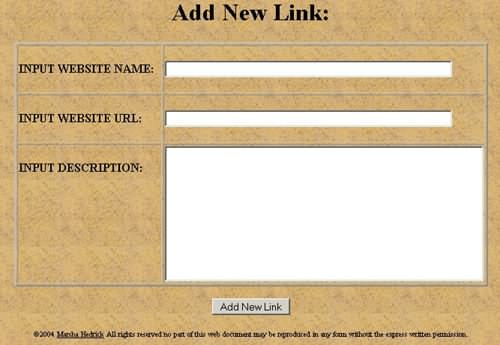 The page where you will enter the Link is shown to the right.
Input Website Name This is usually the business name.
Example Choctaw Art Gallery
Input Website URL Enter the URL for the site.
Example: http://choctaw-art.com
Input Description Input a description of the site and whatever you would like to say to recommend it to your customers.
Example: A gallery for Choctaw artists to show and sell their work. This gallery has shops of individual artists.
TOP OF PAGE
Editing Links
 When you choose the 'EDIT' Links option you will see a page that contains all of the links on page. It will look like this the photo to the right
When you find the link you want to edit you click on the 'EDIT' button in the upper left corner of the box containing the information for that link.
The information for that link will be loaded into a screen that looks like the one below.
 You can then change all of the information for this link
 Just click in the box containing the information you want to change and make your changes.
When you have completed your changes just click on the 'Save Changes' button and the item will be updated.
TOP OF PAGE
Deleting Links
 If you chose the 'DELETE' Links option you will get a page that looks like the screen shot to the right.
To delete a link all you need to do is click the check box next to it and then click the 'Delete Checkmarked Items' button.
TOP OF PAGE